
The CAPA Project: Computer-Assisted Performance Assessment
Project Overview
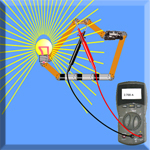
In May, 2006, we started an exciting three-year project to demonstrate the feasibility and cost-effectiveness of computer-assisted performance assessment for evaluating students’ knowledge and abilities in advanced technological education. With the support of the Advanced Technological Education Program of the National Science Foundation (NSF Award 0603389), we have developed the first of a planned series of performance assessments of students’ understanding of key topics in introductory electronics, focusing on their ability to use and interpret readings from two common instruments: the oscilloscope and the digital multimeter. These two assessments (Using a Multimeter and Using an Oscilliscope) challenge students to make a measurement and monitor the steps they take as well as the answers they give. This data is analyzed in real time and a numeric grade is computed. The rubric involved in this computation is available to, and may be modified by, the teacher. For a demonstration of these assessments, see instructions below.
Performance assessments, which go beyond the memorization and snap responses required by multiple-choice questions, and closely resemble the challenges offered by the workplace, are widely recognized as the preferred way to assess students’ understanding and skills, particularly in technical areas. They offer students problems with open-ended questions, multiple steps to a solution, and often more than one satisfactory (and no optimal) outcome. Implementation of performance assessment has been limited, however, because it is expensive, labor-intensive, and subjective. By using simulated circuits and test equipment, we believe that our software will offer the same advantages as typical performance-based assessments at a fraction of the cost, while also providing a more objective outcome on which to base decisions. We hope that this project will lay the groundwork for large-scale implementation of performance assessment in technical high schools and two-year colleges around the nation. We would like to thank the National Science Foundation for supporting this project. National Instruments, Inc. has kindly donated several copies of their LabView product, which we have used to produce the oscilloscope assessment items. Finally, we thank the Physics Education Technology group at the University of Colorado (http://phet.colorado.edu/new/index.php) for giving us access to their open source Java application, the Circuit Construction Kit, which we adapted to create our multimeter assessment items.
What's New!
We have created three more advanced assessments. The first sheds light not only on whether the students know how to set up the multimeter and make measurements, but also on their understanding of Ohm’s Law. Measuring Resistance requires the students to measure an unknown resistance using only a simulated battery, wires, and a multimeter. Our software tracks and analyzes student work and interprets student actions to provide a formative assessment for the teacher, as well as feedback to the students themselves. The second is an oscilloscope assessment using LabVIEW that focuses on Amplitude Modulation. The third is a Digital Circuit Troubleshooting problem. First, students are shown a circuit schematic and are asked to complete the corresponding truth table. Then, given a pictorial representation of the circuit, students use a virtual probe to locate the faulty component. Our software not only reports on student success in finding faults but also assesses the strategy used to solve the problem.
We have run field trials of these assessments at Minuteman High School, in Lexington, MA and at Tidewater Community College in Virginia Beach, VA. We plan to run additional trials of our new digital and analog circuit assessments in the summer and fall of 2008 in Springfield, MA and Waco, TX. We hope to have 9 total assessments in place for the 2008-2009 school year.
Assessments
![]() |
To try the assessments, you should first make sure that your computer meets the system requirements listed below. Then, register as a CAPA project member. After registration, login and click on Assesments. To see a demo of the assessments, choose a topic below. Note: In this mode, your work will not be saved. Using a Multimeter (CCK)Measuring Resistance (CCK) Using an Oscilliscope ** Amplitude Modulation ** Digital Circuit Troubleshooting ** ** Requires LabVIEW Download updated 05/02/2008) To enter a bug report or suggestion, go to the Jira Bugbase (For registered users only.) |
System Requirements
Java (v1.5 or later) with Web Start
Not sure if you have Java with WebStart? To run an installation test, go to the Molecular Project Software page. Click the "Check Webstart and my core installations." button. A dialog box will pop up to tell you if Java is installed and WebStart is working (it will also tell you if you have Quicktime, which you do not need to run this activity). The page contains instructions on how to download and install Java and Web Start on your computer.
Additional requirements for running LabVIEW assessments: CAPA LabVIEW viewer, Windows XP/2000 and user privilege to install to c:\Program Files.
- Download capa_labview.zip from http://capa.concord.org/capa_labview.zip.
- Uncompress capa_labview.zip.
- Open directory capa_labview\Volume.
- Run setup.exe. If a security message pops up about the Windows having blocked some functionalities, choose to UNBLOCK it. Do not change the installation paths.
Partners
CORD
Alabama College for Electronic Technology Education Advancement
Minuteman Regional High School
National Instruments
Springfield Technical Community College
Tidewater Community College
Weber State University